Flimra

Launching soon · Private beta for editors

Generated shots, inside a real edit.

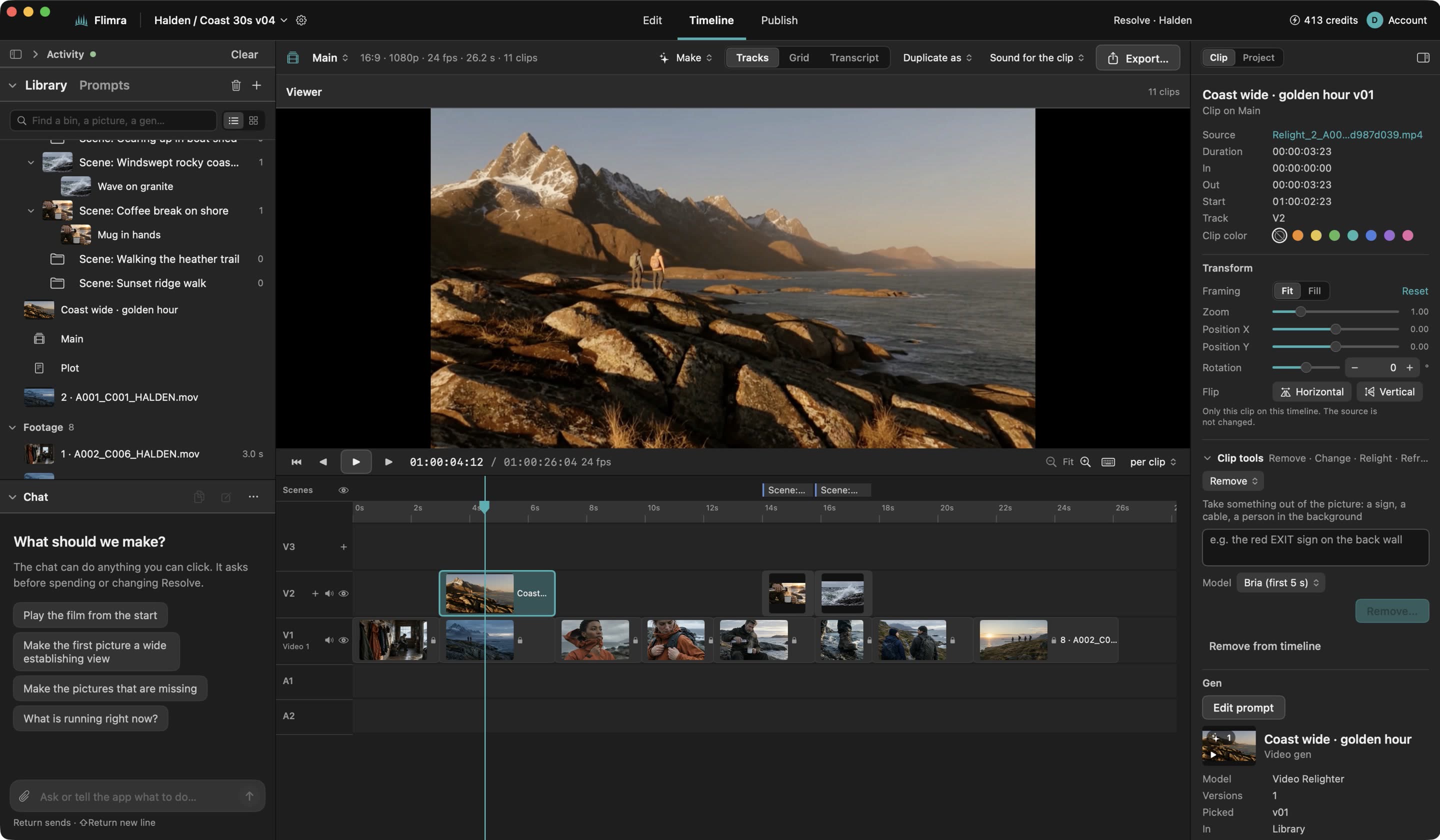
Flimra sits beside DaVinci Resolve. Bring in your timeline, make the shot you are missing or fix the one you have, and send it back above your cut on its own track. Every prompt, reference and version is kept, so the note that comes two weeks later is a five-minute job.

Flimra's Timeline workspace: a commercial imported from Resolve, with a generated shot selected over one of its clips
A spot imported from Resolve. The generated shot sits on a track above the editor's own clips.

01 · RESOLVE ROUND TRIP

From Resolve and back, without leaving the cut.

Flimra reads your Resolve timeline as it is: its clips, stills and playable proxies. When a shot is ready it goes back onto a Flimra track above the edit, named FL_gen012_v03 and marked, so you can find it, swap it or take it out.

Your own tracks, clips, bins and grades are never touched.
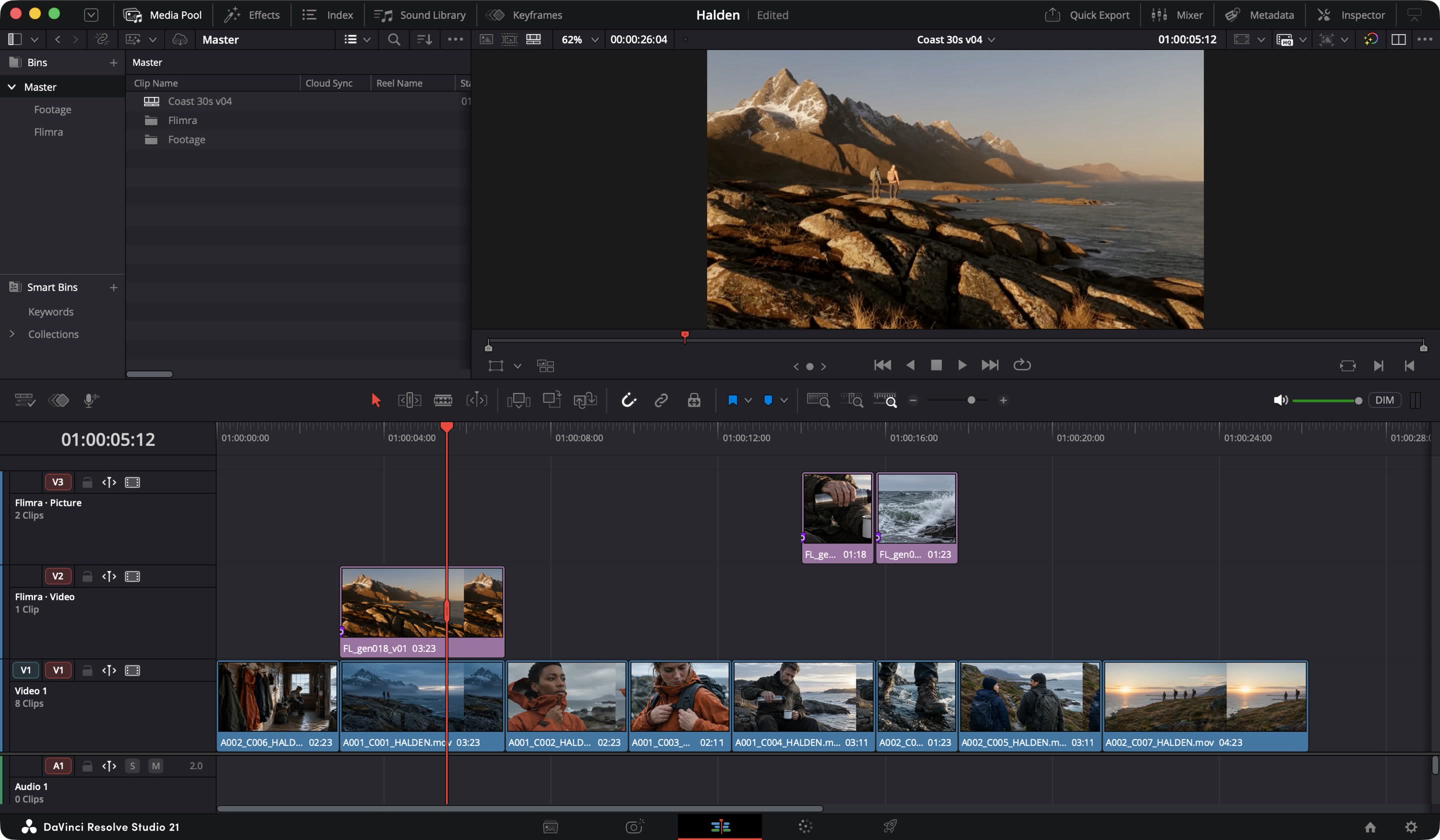
DaVinci Resolve with a Flimra track above the edit holding generated shots

02 · THE MISSING SHOT

Make the shot the edit is asking for.

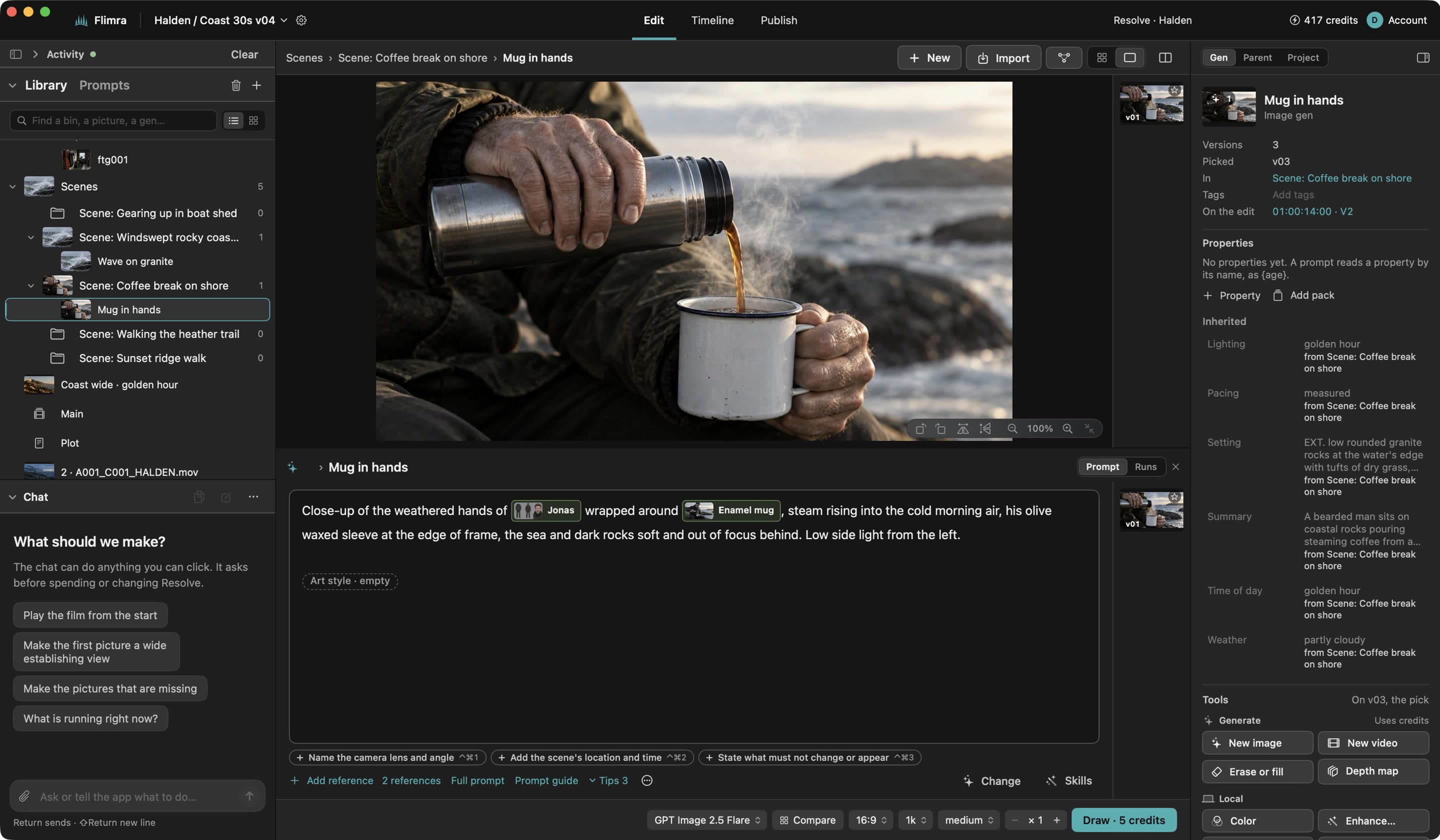
Pick a gap or a clip on the timeline and write what should be there. The prompt can send what is under it, the film's look and the references you choose, so the new shot belongs to the cut around it.

Picture and video models side by side, with the price on the button before anything runs.

Writing a prompt for a new shot in Flimra, with references and a model chosen

03 · RETOUCH

Fix a clip you already shot.

Take a clip out of the edit, remove what should not be there, relight it or restyle it, and send it back. The result lands beside the original as a new version; the footage itself stays where it is, untouched.

A retouched clip shown next to the original in Flimra

04 · VERSIONS

Every take kept, and what it was made from.

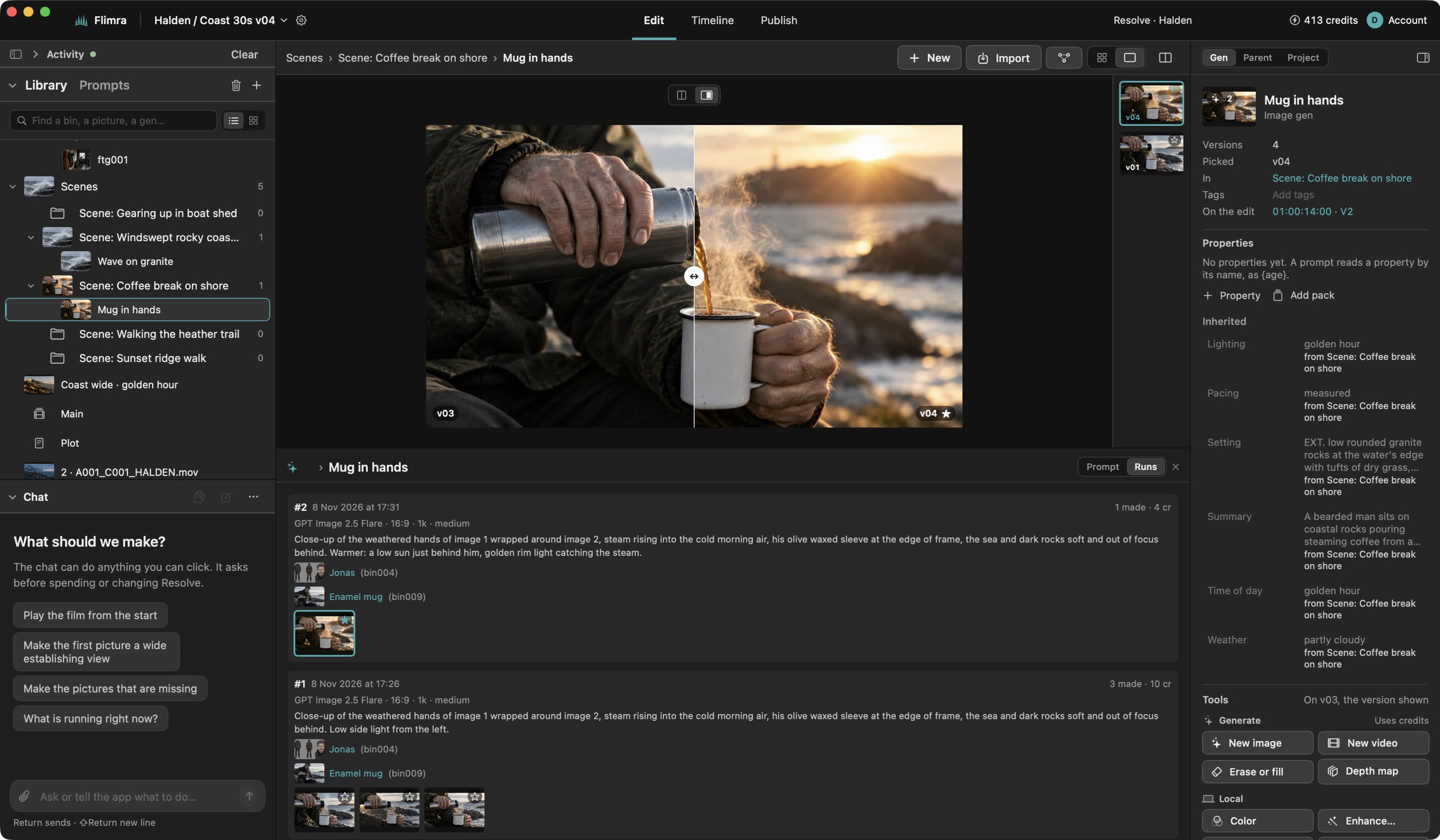
Each run adds a version and nothing is overwritten. A version remembers the prompt as it was sent, every reference as the file it was then, and the model. When the client wants v3 back with warmer light, it is one click and one change.

A gen's versions side by side with the prompt that made each one

05 · ONE LIBRARY

A cast and a product that stay the same.

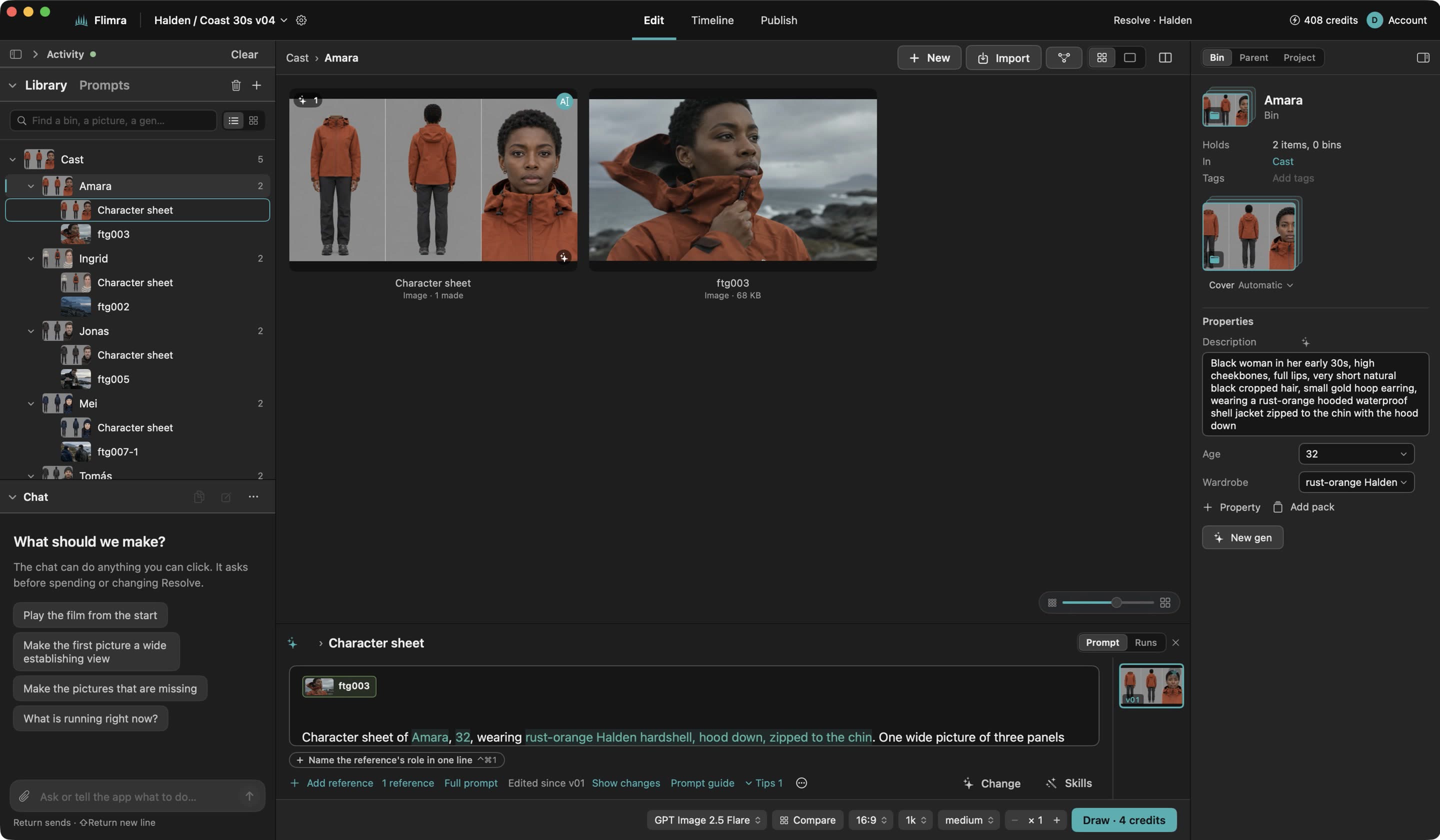
Characters, locations and products are bins, as in your NLE, with properties you name yourself: age, wardrobe, material. Prompts read them by name, so change the jacket once and every shot that wears it is marked out of date, ready to make again together.

Flimra's library: bins for characters and locations, with their properties

06 · ASK FOR IT

Say it instead of clicking it.

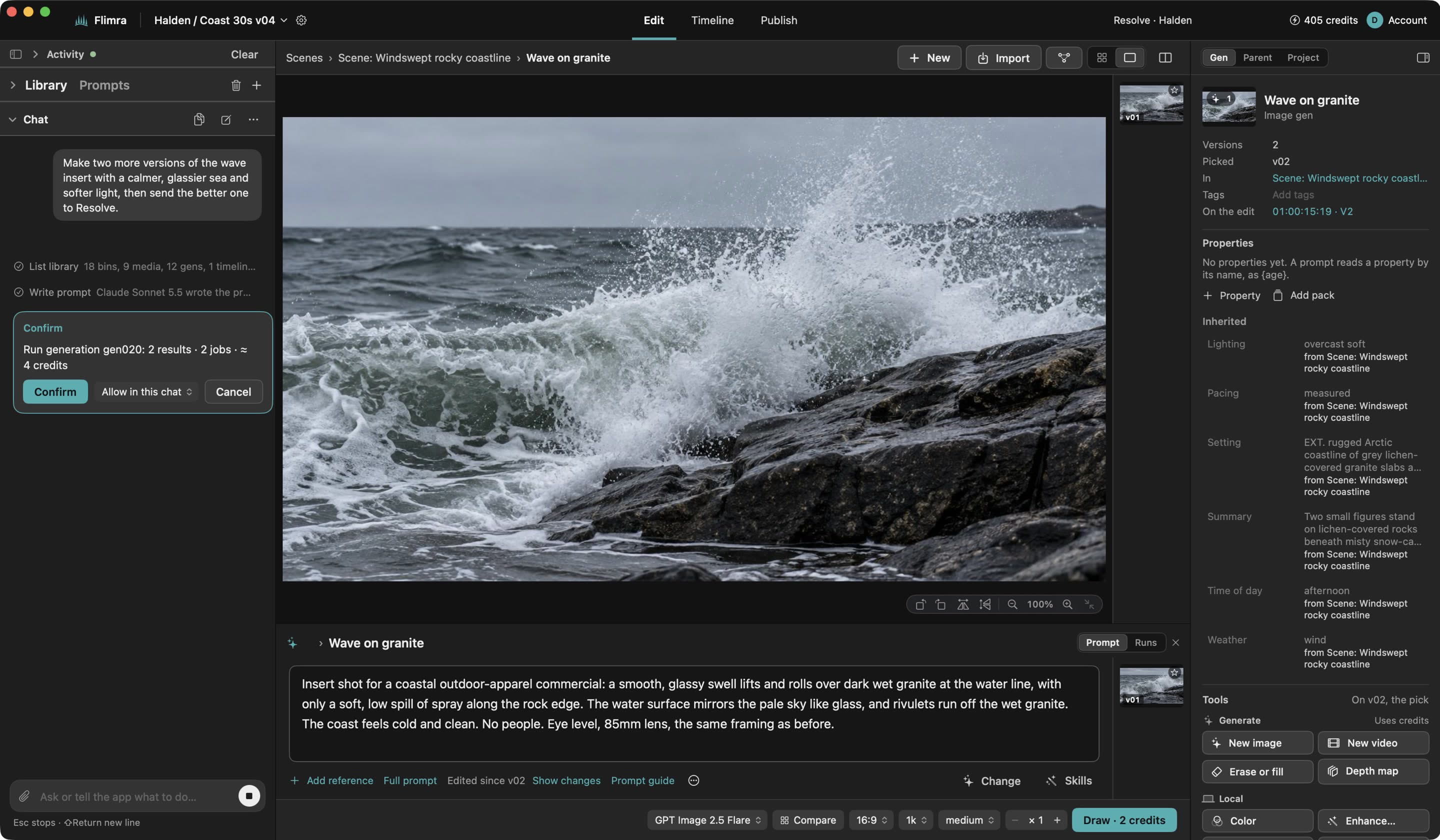
Everything you can click, the built-in assistant can do: break down a script, lay out a storyboard, make the alternates for scene four. Anything that costs money shows its price and waits for you to confirm.

The same tools are open to Claude, Codex and other assistants on your Mac.

Flimra's assistant proposing a set of shots with their price before running them

Opening to editors a few at a time.

Request an invite and we will be in touch.

Request an invite